
Set your amount, dates and currency.
See what’s left. Simple budgeting.
Record what you spend. See what remains.
A simple budget, with your remaining amount always in view.
See how it worksFor iPhone & Android · Coming to stores
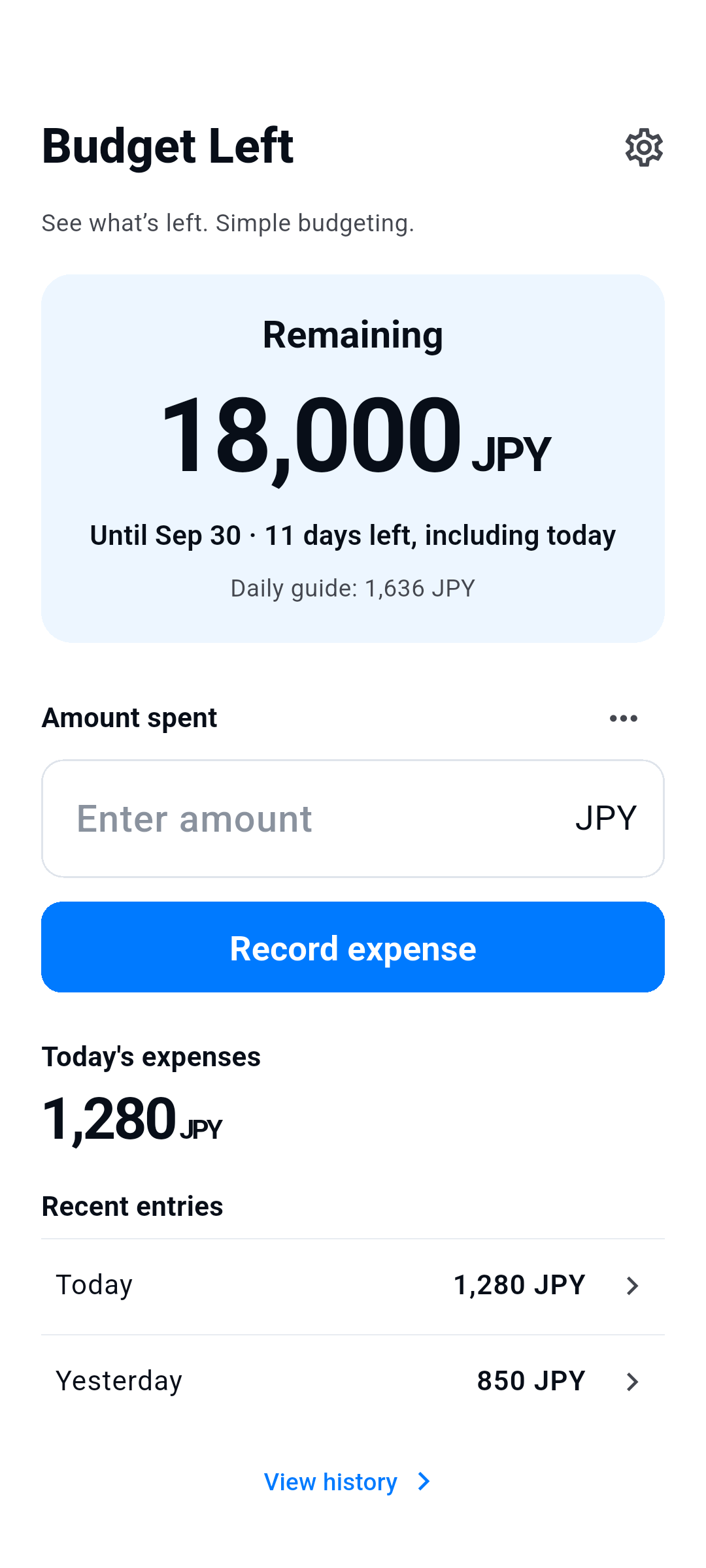
How it works
Spend. Record. See what’s left.
Record an expense on the home screen. Notes are optional.
Correct or delete records and add refunds in History.
Start the next budget yourself. Previous budgets stay in History.
Just the essentials
One budget. A clear view.
- Remaining
- The remaining amount is based only on entries you record. It is not your bank balance or a guarantee that you can spend it. Refunds restore your budget; they are not income tracking. Periods do not renew or carry over automatically.
- Six languages · Eight currencies
- 日本語 / English / 한국어 / 简体中文 / Español / Français
JPY / USD / EUR / KRW / CNY / GBP / CAD / AUD - Advertising and privacy choices
- The app is free and uses one small home-screen banner. Advertising is hidden while typing or editing. Privacy choices, when required, are available in Settings. Consent or network failures do not prevent recording expenses.
Records on your device
No account needed.
Budget amounts, currencies, dates, expenses, refunds, notes and settings are stored on your device to provide the app’s features. No account or custom cloud sync is used. We do not send these records to our servers or to the advertising SDK. No analytics SDK is added.
Data is saved on your device. OS backups and device transfer may include it, but restoration is not guaranteed. Deleting the app may delete your data. There is no account or cloud restore service.
Privacy policy →